
PULPchat is a Registered Trademark

Company   |   Details   |   Statistics   |   Accounts   |   FAQ   |   Support

FAQ - User's Guide

last modified Jul 27, 2021


Can I maximize the chat window?

Yes. Click the save/print button then maximize the new window that appears.
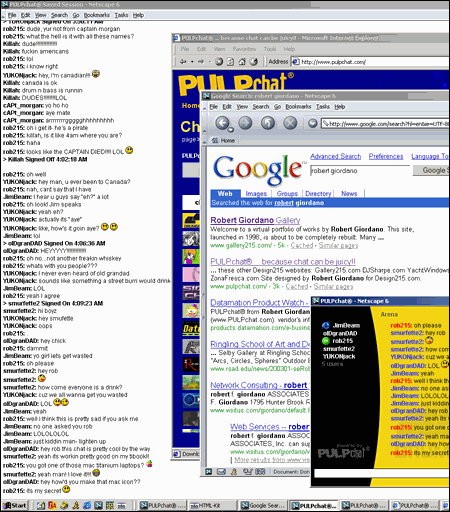
Next, bring all of your other windows to the top and arrange them on the right hand side of your screen. This way, you can watch the conversation in full screen mode while working in any number of other windows.

PULPchat full screen!!

Here is a section of a Windows 2000 screen. The save/print chat window has been maximized while other browser windows and applications are being used at the same time.


Back to Questions


you are visitor  

welcome | about us | privacy policy | terms of service | what's new | products | features | applications | sign up | faq | contact us
Copyright 2001-2008 Design215 Inc. All Rights Reserved. PULPchat is a Registered Trademark  
html   css   508   aaa